Hello there, mrkey94.
It sounds like you downloaded your iWork for iOS apps while logged into your secondary Apple ID and wanted to know if you could install them using your primary Apple ID. The first step would be to sign out of your secondary Apple ID first. This can be done using the information from the following Knowledge Base article:
Sign in with a different Apple ID on your iPhone, iPad, or iPod touch
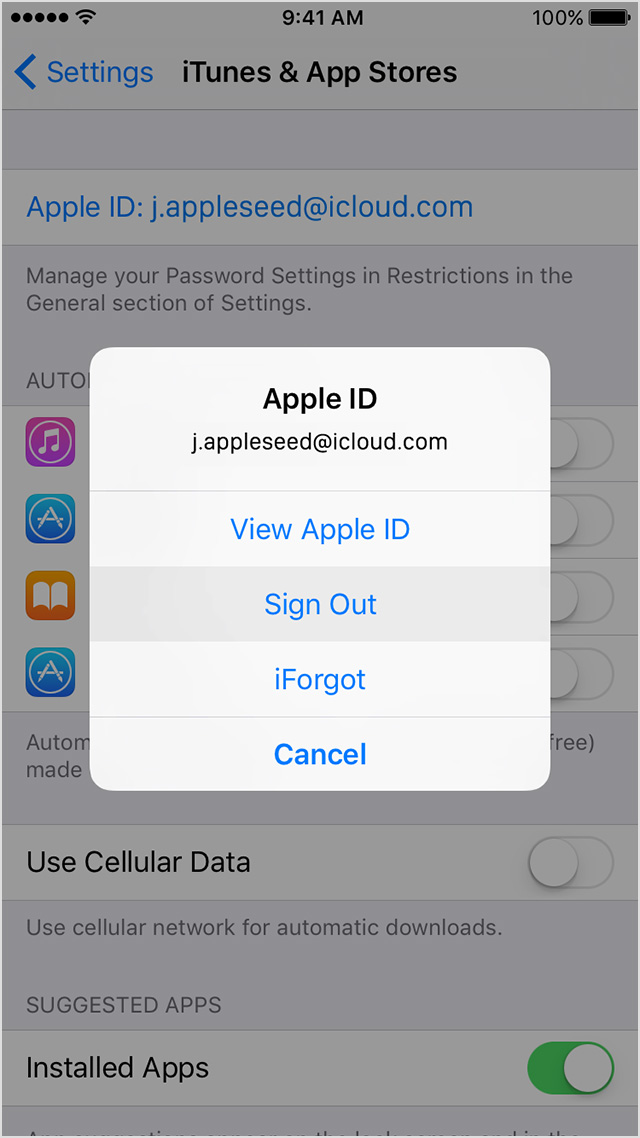
- Tap Settings > iTunes & App Store.
- Tap your Apple ID. If you see the option to Sign In, you can change your Apple ID now.
- Tap Sign Out.
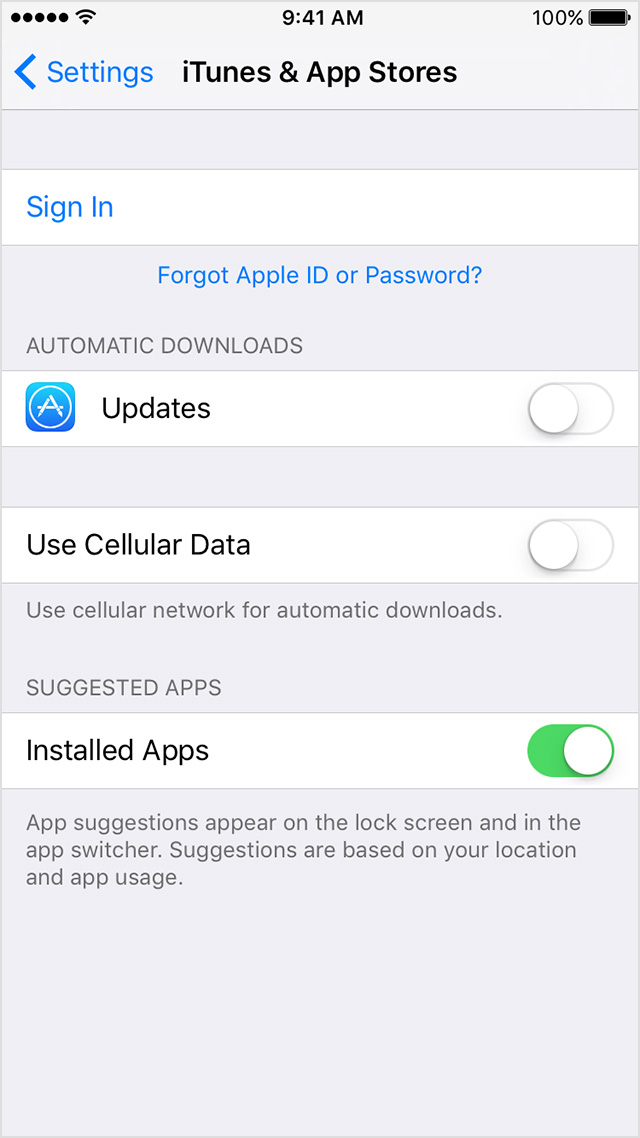
- Go to Settings > iTunes & App Store.
- Tap Sign In, then enter your Apple ID and password.
If you changed your Apple ID to share content with a family member or because you have multiple Apple IDs, try Family Sharing instead. With Family Sharing, you can link your family's Apple IDs into a group that can share purchases, photos, and more.
Next, you will want to delete the apps themselves:
Delete music, movies, apps, and other content from your iPhone, iPad, or iPod touch
- Press and hold the app until it jiggles.
- Tap the
 in the upper-left corner to delete. in the upper-left corner to delete.
You might be asked to confirm that you want to delete the app. If you see a pop-up that says, "Deleting [app name] will also delete all of its data," tap Delete. |

|
Finally, log back into your primary Apple ID and then re-download your previous purchases:
Download your past purchases
You can redownload apps on your iPhone or iPod touch, iPad, Mac or PC, or Apple TV (4th generation). You can also redownload some in-app purchases.
- Open the App Store app.
- On an iPhone or iPod touch: Tap Updates, then tap Purchased.
On an iPad: Tap Purchased.
- Scroll to find the app that you want to download.
- Tap the Download icon
 . After the app downloads, you can open it from your Home screen.
Thanks for reaching out to Apple Support Communities.
Cheers.


